Skip to content
clonesite.ai
Menu
Help & answers

Everything about cloning a website

Short, specific answers to what people ask before they clone — legality, pricing, how it compares, and what you walk away with.

20 answers Updated for 2026 No subscription, ever
Start here

The basics

What cloning is, what you can clone, and where the legal line sits.

What is a website cloner?+

A website cloner turns any live website into an editable starting point you can make your own.

Clonesite reads the real HTML, CSS, fonts and responsive breakpoints behind a public URL, rebuilds the structure faithfully, then rebrands it with your colors, copy and logo — no screenshots, no blank canvas. You preview the whole site free in your browser and export production-ready code when you're happy.

How do I clone a website from a URL?+

Paste any live URL and clonesite rebuilds the real site in your browser in about a minute — editable and multi-page.

There's nothing to install and no screenshot to upload. Working from the URL instead of an image lets us capture the actual HTML, CSS and breakpoints, so the clone matches the original and stays faithful across every page.

Is it legal to clone a website?+

Yes — cloning a website's layout and structure for your own rebranded site is generally legal, because visual layout and functional structure aren't protected the way brand assets are.

What you must not republish is someone else's copyrighted content, logos, images, fonts or trademarks. Clonesite is built for this: we clone the publicly accessible structure, then you swap in your own colors, copy, logo and content — so what you ship is your branded site, not a copy of theirs. We never copy backend logic, databases or proprietary functionality. For commercial use, replace all original branding and content before publishing, and when in doubt treat a clone as a starting structure to build on, not a finished site to reuse.

Do I need design or coding skills to clone a site?+

No — cloning takes one URL and no design or coding skills.

You paste a link, watch the site rebuild live in your browser, then edit text, colors and your logo visually. Developers can also export clean, production-ready code to take further, but you don't need to touch code to get a finished, rebranded site.

Can I clone a whole multi-page site, or just one page?+

You can clone entire multi-page sites, not just a single landing page.

Because clonesite works from a URL instead of a screenshot, it follows the real navigation and rebuilds every page with consistent structure. A single-page clone runs about 100 credits; multi-page costs more and unlocks when you export.

How accurate is the clone?+

Clones are high-fidelity because we read the source HTML, CSS, fonts and responsive breakpoints — not a guess from an image.

Layout, spacing, typography and mobile/desktop responsiveness are reproduced faithfully, then made fully editable so you can adjust anything before exporting.

Do you clone the backend too?+

No — clonesite clones the visual design and front-end structure only.

Backend logic, databases, APIs and proprietary functionality are never copied. You get the front-end you can see and rebrand, which is also what keeps cloning on the right side of copyright.

Why only a URL — can't I upload a screenshot?+

A URL gives us the real HTML, CSS, fonts and responsive breakpoints; a screenshot can only be guessed at.

URL-only is a deliberate quality choice — it also lets us clone entire multi-page sites with working navigation, which screenshot tools can't do.

Pricing & ownership

Pricing & ownership

No subscription. You pay per clone, and you walk away owning the code.

What do I get for free?+

You get a full, live, editable clone for free — one fresh clone every day, no credit card.

You can preview the entire rebranded site in your browser; it's only watermarked and locked from export until you spend credits.

How much does cloning a website cost?+

You pay per clone with credits — no subscription — and credits never expire.

Packs start at $39 for one single-page clone, or $99 for three. Spending credits exports production-ready code and removes the watermark. For full multi-page sites, ask us about Full Clone.

Can I export the code, and do I own it?+

Yes — when you spend credits you export clean, production-ready code with no watermark, and you own 100% of it.

Host it anywhere you like. There's no lock-in and no subscription; you only pay when you walk away with something real.

Can you publish or deploy the cloned site for me?+

Today you export production-ready code and host it anywhere — you own all of it.

Yes. Full Clone is the done-for-you path: we clone the full site, rebrand it to you, and ship it live. Contact sales with the URL and we will quote the scope.

Choosing a cloner

Choosing a cloner

How clonesite stacks up against subscription tools, and which fits your job.

What's the best website cloner that doesn't need a subscription?+

Clonesite is built for people who don't want a subscription: you pay per clone with credits, and credits never expire.

Most cloners — UX Pilot, UXMagic and CopyWeb — charge $14–$29 every month whether you ship anything or not. Clonesite gives you one free clone every day and charges only when you export, with packs starting at $39.

What's the best free website cloner?+

Clonesite gives you a full, live, editable clone for free — one fresh clone every day, no credit card.

You can preview the entire rebranded site in your browser; it's only watermarked and locked from export until you spend credits. That's a more complete free tier than trial-credit plans that cap you after the first design.

How is clonesite different from UX Pilot?+

UX Pilot is a subscription UX-design suite that exports clones to Figma; clonesite is a pay-per-clone tool that rebuilds the real site in your browser and exports production-ready code you own.

If you want a monthly design workspace, UX Pilot fits; if you want a finished, rebranded, exportable site without a subscription, clonesite fits.

How is clonesite different from UXMagic?+

UXMagic outputs an editable Figma file and design system on a monthly credit plan; clonesite rebuilds the live, multi-page site in your browser and exports production-ready code, charging only per clone.

Choose UXMagic for a Figma-first design handoff; choose clonesite to walk away with a hosted-ready site and no recurring fee.

How is clonesite different from CopyWeb?+

CopyWeb converts a screenshot, URL or Figma file into code on a monthly subscription; clonesite is URL-only, rebrands the clone as your site, supports multi-page, and is pay-per-clone with no subscription.

CopyWeb suits developers wanting code from any input; clonesite suits anyone wanting a finished, rebranded, exportable site on demand.

What's the best website cloner for agencies and marketers?+

For agencies and marketers shipping client landing pages, clonesite works best because there's no subscription to expense, you clone and rebrand multi-page sites from a URL, and you export code you fully own per project.

The one-free-clone-a-day model also lets a team prototype and pitch before spending anything.

Cloning specific sites

Cloning specific sites

Cloning a specific site? Same flow: clone the layout, rebrand it as yours.

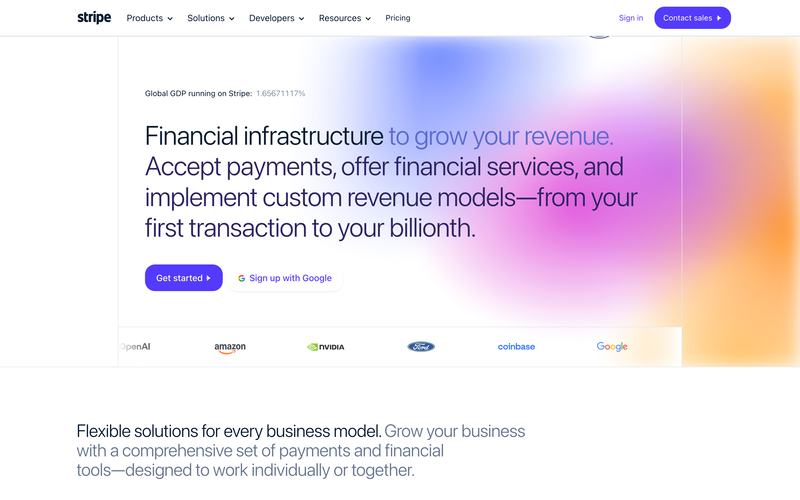
Can I clone Stripe's landing page and rebrand it?+

Yes — paste Stripe's public URL and clonesite rebuilds that landing page in your browser, then you swap in your own brand colors, copy and logo to make it yours.

You're recreating the layout and structure as a starting point, not republishing Stripe's content or trademarks. Export production-ready code when you're happy; one free clone is available every day.

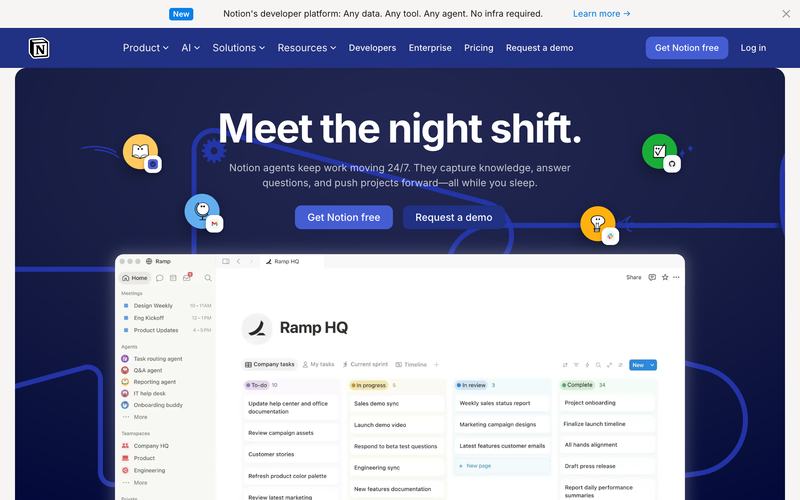
Can I clone Notion's pricing page and make it my own?+

Yes — clonesite reads the real HTML and CSS behind Notion's public pages and rebuilds an editable version you can rebrand with your own content.

Keep the layout you like, replace the branding and copy with yours, and export clean code you own — pay only per clone, no subscription.

Still deciding?

Try it before you ask. One clone is free, every day.

Paste a URL, preview the whole rebranded site live, and only pay when you export. Or send us the site you're trying to clone and we'll tell you what's possible.